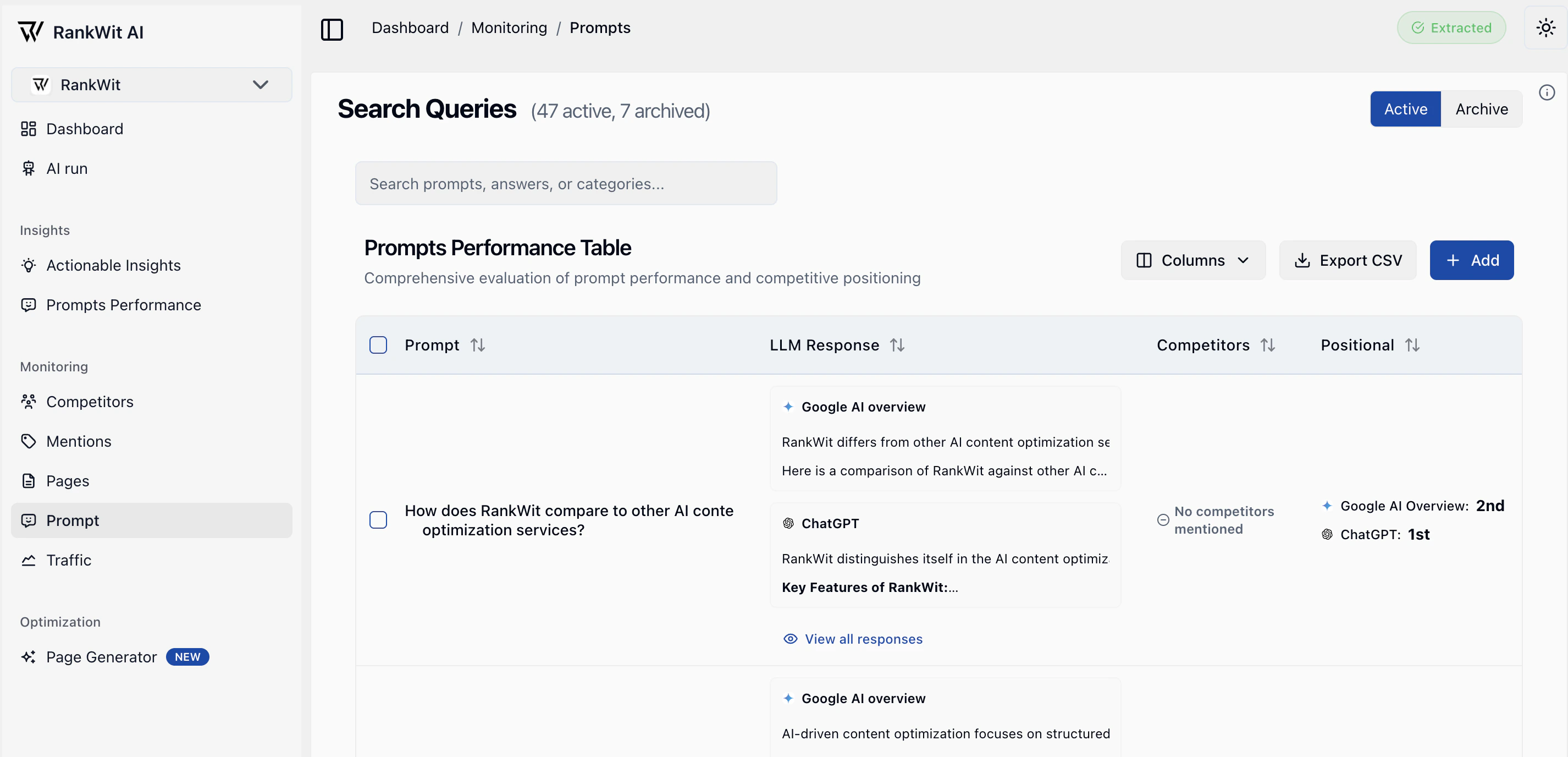
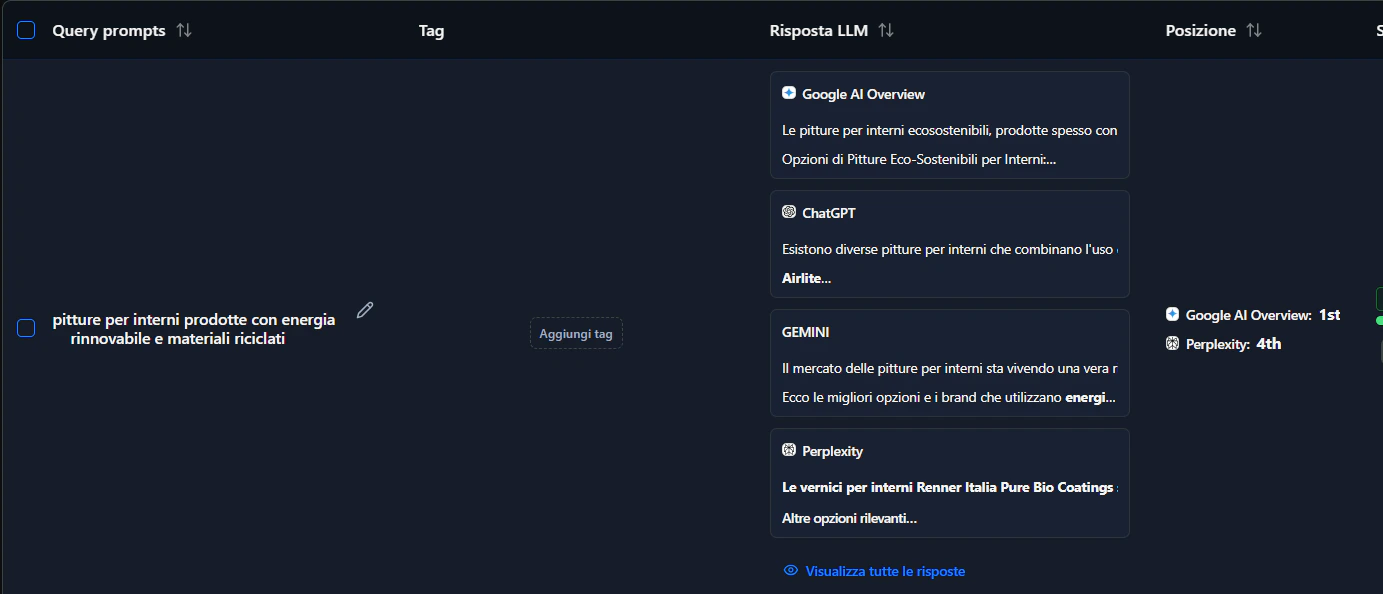
The Prompt section in Monitoring is where you manage the prompts (questions or themes) you track for SEO, and see how they perform in runs.
What are prompts?
Prompts are the search intents or topics you care about (e.g. “best running shoes”, “how to train for a marathon”). RankWit uses them to:
- Evaluate how well your pages answer those intents.
- Run SEO checks (runs) that score or compare your content.
- Feed data into Insights → Prompts performance.
What you see
- A list of your prompts (text, AI Answer, and related metrics).
- Options to add or edit prompts and start a new run.
- Export all of your prompts in a CSV file.
Adding or editing prompts
- Open Monitoring → Prompt.
- Click Add prompt (or edit an existing one).
- Enter the prompt text (the question or theme you want to track).
- (Optional) Set intent, length (short‑tail, mid‑tail, long‑tail) and branded / non‑branded so analysis and filters are more accurate.
- Save. The prompt is included in the next run and in Prompts performance.
You can also import multiple prompts from a CSV file if you already manage your queries in a spreadsheet.
Import prompts from CSV
If you already have your search queries in a spreadsheet, you can upload them in bulk using the Import CSV feature in Monitoring → Prompt.
-
Download the CSV template:
Use this Google Sheet as a reference and export it as CSV before uploading:
CSV template (Google Sheets)
-
How to import:
- Open Monitoring → Prompt.
- Click Import CSV.
- Select your CSV file (exported from the template).
- Confirm the upload. New prompts will appear in the table and will be included in the next run.
-
Supported columns and values (column names are case‑insensitive):
- text (required):
The prompt text / search query, e.g. best running shoes.
- intent (optional):
One of:
informationalnavigationaltransactionalcommercial
- length (optional):
One of:
short-tailmid-taillong-tail
- role (optional):
One of:
- tags (optional):
Comma‑separated list of tags, e.g. top-of-funnel, us, b2c.
Tags are stored lowercased and trimmed; if a tag already exists for the website it will be reused.
If a row has invalid values (for example, an unknown intent or role), the system ignores the entire row.
Tags let you group prompts by themes such as product line, funnel stage, country, or campaign.
-
Where to find them: in Monitoring → Prompt, use the Tags column for each row.
-
Add a tag: click into the Tags area, start typing, and press Enter (or choose from the suggestions) to attach a tag to that prompt.
-
Remove a tag: click on an existing tag to remove it from that prompt.
-
Re‑use across prompts: tags you’ve already used appear as suggestions so you can keep naming consistent.
-
Export: when you export prompts to CSV from the Prompt table, a Tags column is included for each prompt so you can group and filter in spreadsheets or BI tools.
Keep prompts focused and aligned with your real search queries so insights and Prompts performance are actionable.