
What you see
- A list or feed of mentions (source, date, snippet or context).
- Optional filters (e.g. date range, source type) when available.
- Details when you open a mention (e.g. full text, link).
- Actions such as Convert to competitor when the mention refers to another brand or site.
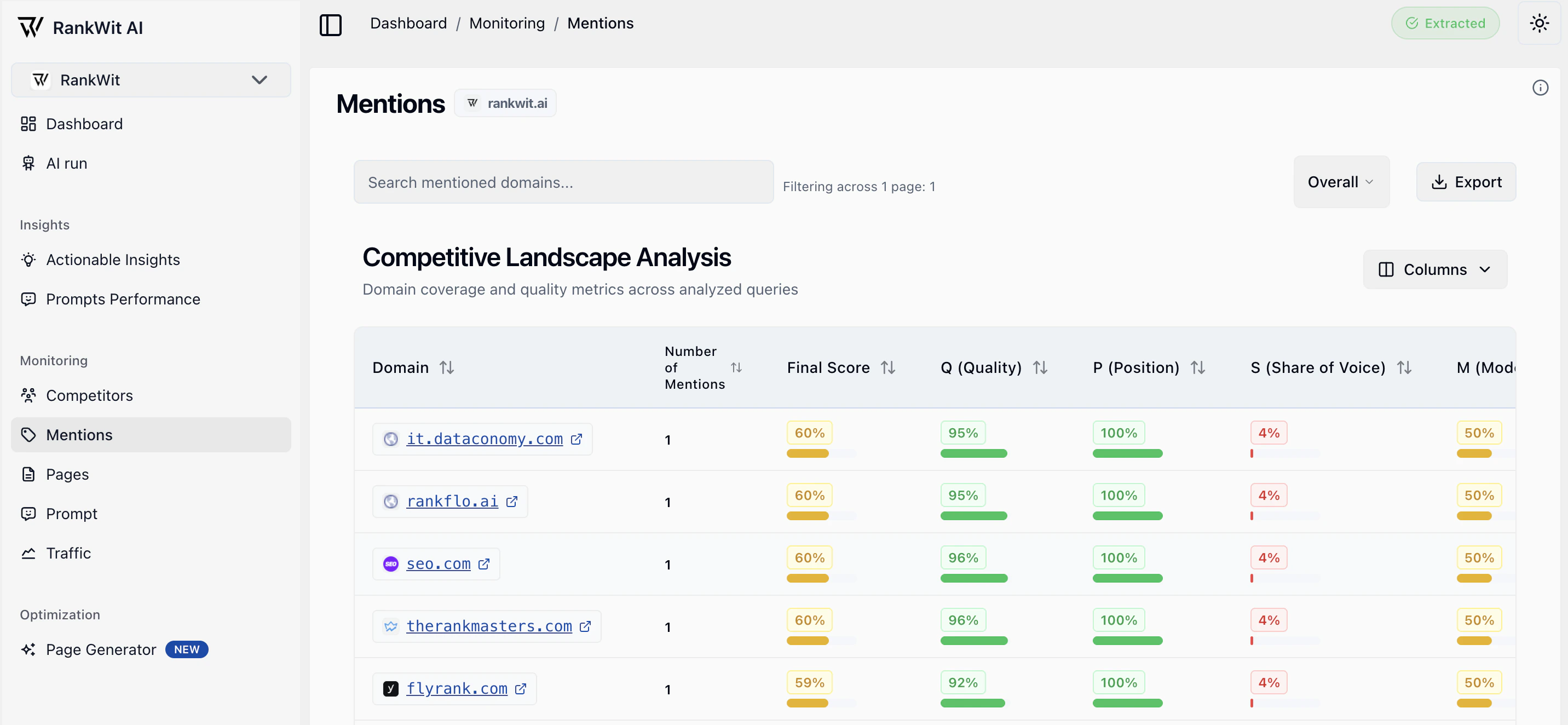
Why mentions are useful
Mentions help you understand where and how your brand is talked about. They are especially useful for:- Seeing relevant source in your industry — Track media, blogs, forums, and other sources that cite you.
- Following up on opportunities or issues — Respond to reviews, thank publishers, or address misinformation.
- Discovering valid websites for backlinks — When a site mentions you (e.g. in an article, list, or review), that site is often a good candidate for outreach or future backlinks. Use the mention list to identify authoritative, relevant sources that already reference you and consider them for link-building.
Mentions from quality, relevant sites are strong signals for SEO: they show interest in your brand and can lead to formal backlinks. Review the source domain and context before adding it to your backlink target list.
How it works
Mentions are collected from the sources connected to your account. Use this view to review and act on them as described above.Using the list
- Sort by date or relevance when the option is available.
- Open a mention to see full context and link.
- Use filters (if shown) to narrow by date, source, or type.
- Convert to competitor when a mention is about a competitor.
Moving a mention to a competitor
Sometimes a mention is incorrectly attributed to your brand—for example, it refers to a competitor or another site with a similar name. You can reclassify it so it no longer appears in your mentions and is associated with the right competitor instead.- Open the mention (or use the row/entry actions).
- Click Convert to competitor (or the equivalent action).
- Choose the competitor from the list, or add the competitor first in Competitors if needed.
- Confirm. The mention is removed from your brand mentions and linked to that competitor.
Moving a mention to a competitor does not delete it—it reassigns it so your metrics reflect only mentions of your brand.