
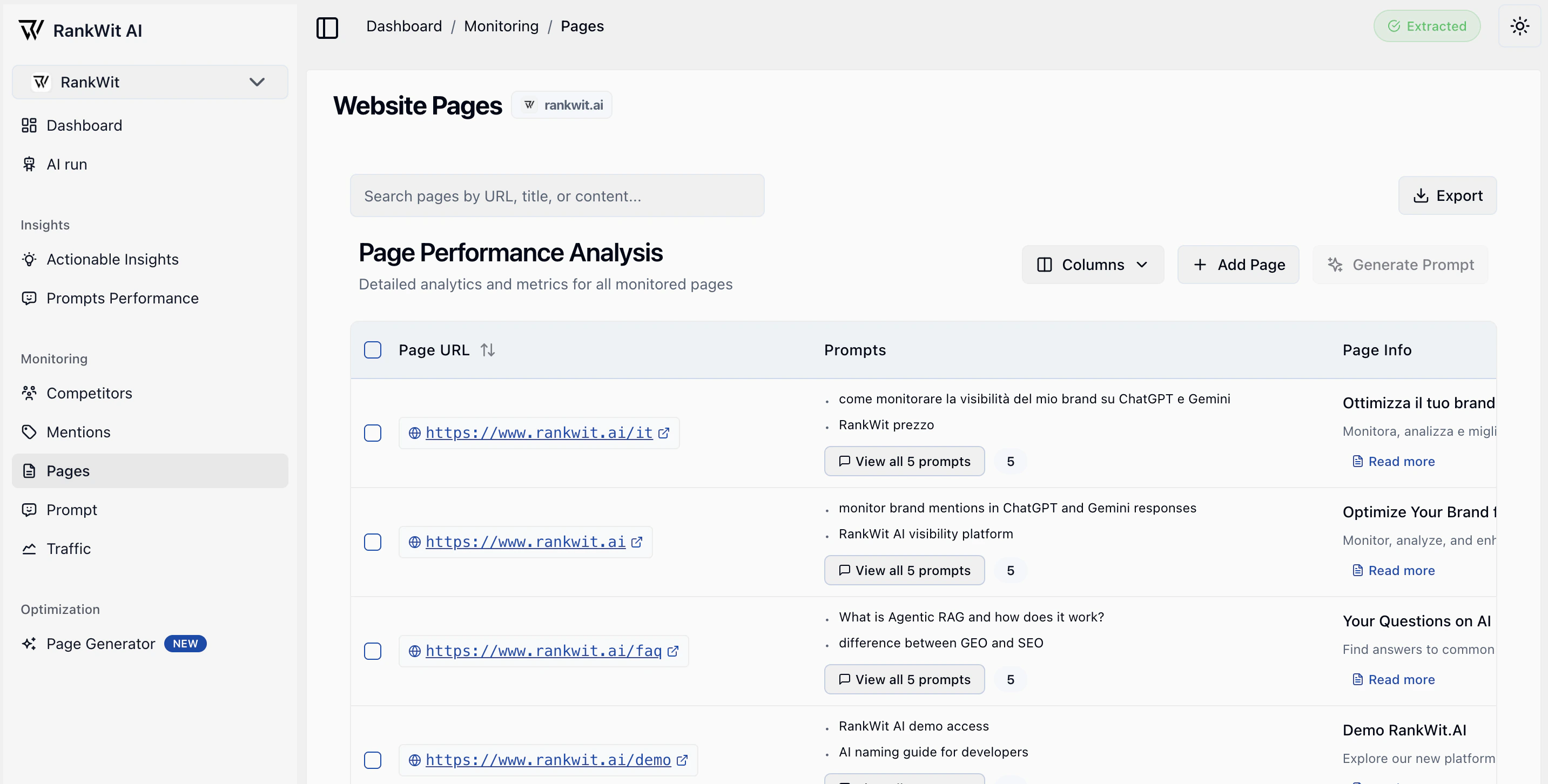
What you see
- A table of pages (URL, title, status, and key metrics).
- Ability to add or remove pages from monitoring.
- Details when you open a page (e.g. scores, history, issues).
How pages are collected
Pages are crawled periodically by our system. Most of your site’s URLs will be discovered and updated automatically. Some pages, however, cannot be crawled or updated (e.g. due to access, structure, or technical limits). Those can be added manually via Add page so they are still included in monitoring and runs.Why pages matter
Monitored pages are the website URLs RankWit uses for analysis. Keeping this list up to date helps you get accurate data in Prompt, Traffic, and Insights.
Working with the table
- Sort by clicking column headers (e.g. URL, status, score).
- Search or filter when the app provides these options.
- Open a row to see the page’s detail view and metrics over time.
- Use pagination at the bottom to move through the list.
Adding or removing pages
- Add pages — Use Add page (or similar) and enter the URL or select from a crawl/list if the app offers it. The new page is then included in runs and insights.
- Remove pages — Use the row action (e.g. menu or remove icon) to stop monitoring that URL. Historical data may remain, but new runs will skip it.
NB: If your website is large, the first crawl may not discover the entire site in one go. Further crawls will continue to add pages. You can also add important URLs manually if they are missing.
If you have many pages, use filters and search to find the ones you care about. Make sure the correct website is selected in the website selector.