> ## Documentation Index
> Fetch the complete documentation index at: https://docs.rankwit.ai/llms.txt
> Use this file to discover all available pages before exploring further.
# Competitors
> How to add and manage competitors and compare your performance.
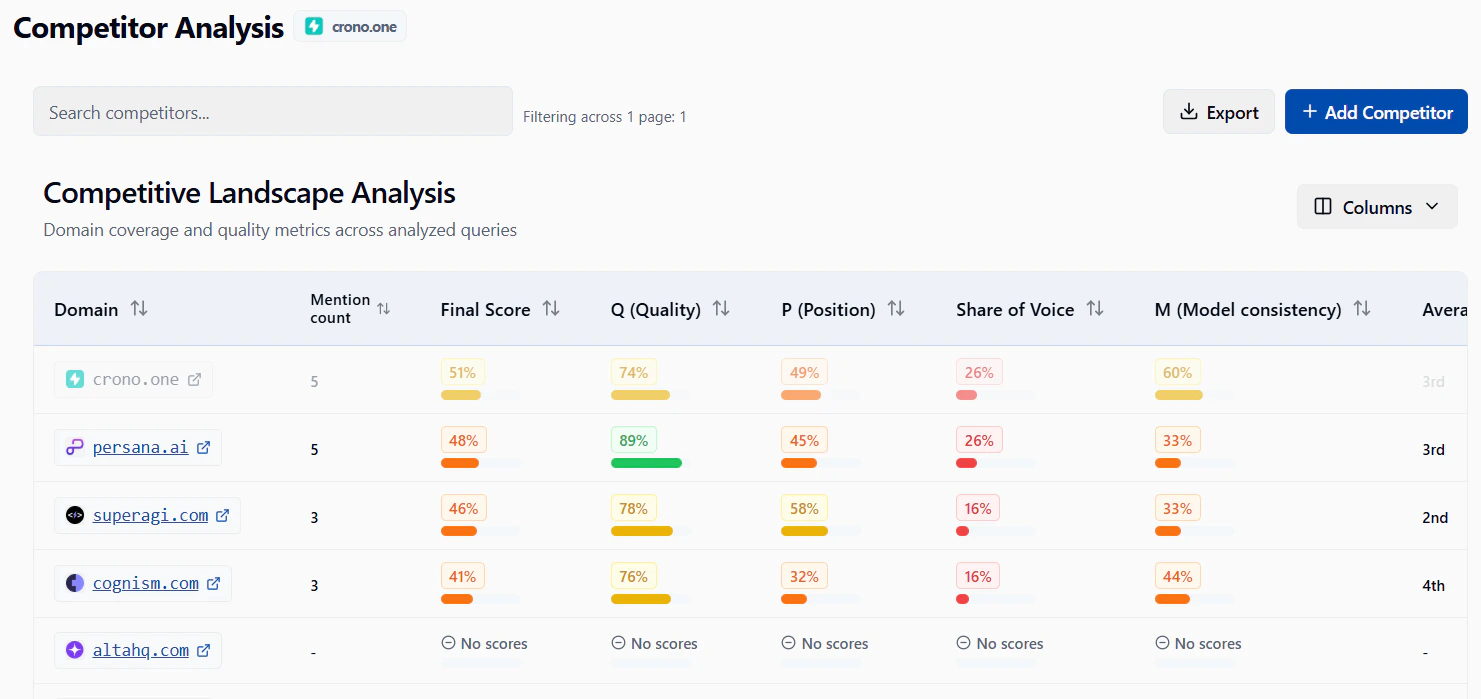
The **Competitors** section in Monitoring lets you add other sites or URLs and compare their performance with yours.
## What you see
* A list of competitors you’ve added (site or URL and related metrics).
* Comparison data so you can see how you rank or perform next to them.
* Options to add, edit, or remove competitors.
 ## Adding a competitor
1. Open **Monitoring → Competitors** from the sidebar.
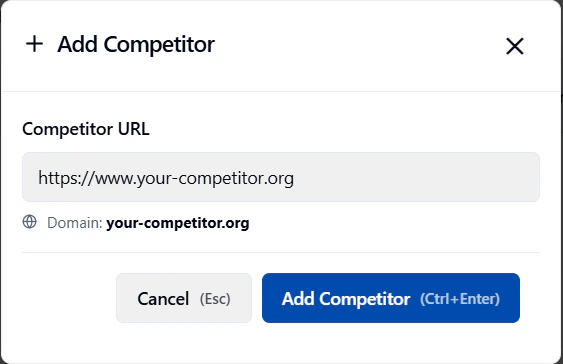
2. Click **Add competitor** (or the equivalent button).
3. Enter the competitor’s **website** or **URL** as requested.
4. Save. The competitor appears in the list and data will be collected according to your plan.
## Adding a competitor
1. Open **Monitoring → Competitors** from the sidebar.
2. Click **Add competitor** (or the equivalent button).
3. Enter the competitor’s **website** or **URL** as requested.
4. Save. The competitor appears in the list and data will be collected according to your plan.
 After adding a competitor, comparison data may take a short time to appear. Refresh or check back later if the list is still empty.
## Using the table
You can usually:
* **Sort** by column (click the column header).
* **Filter or search** when the app offers these options.
* **Change page size** and use pagination at the bottom.
## Removing or editing a competitor
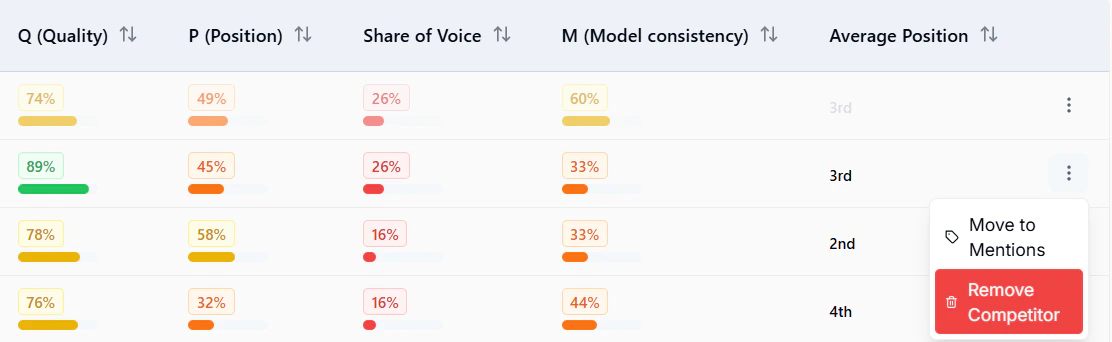
Use the row actions next to a competitor to **edit** (e.g. change URL) or **remove** it. Removing a competitor stops new comparison data for that entry.
After adding a competitor, comparison data may take a short time to appear. Refresh or check back later if the list is still empty.
## Using the table
You can usually:
* **Sort** by column (click the column header).
* **Filter or search** when the app offers these options.
* **Change page size** and use pagination at the bottom.
## Removing or editing a competitor
Use the row actions next to a competitor to **edit** (e.g. change URL) or **remove** it. Removing a competitor stops new comparison data for that entry.
 Make sure the correct **website** is selected (website selector) so you’re comparing against the right project.
Next: [Mentions](/monitoring/mentions) or [Pages](/monitoring/pages).
Make sure the correct **website** is selected (website selector) so you’re comparing against the right project.
Next: [Mentions](/monitoring/mentions) or [Pages](/monitoring/pages).